One shortcut in any app
Ctrl+Shift+M mutes the microphone in Windows itself, so it works in Teams, Meet, Zoom, Discord and everything else.
A shortcut, or a tap on your phone, mutes the microphone in any call app. With the state always in sight.
Free forever. 7 days of Pro to try, no card needed.
Ctrl+Shift+M mutes the microphone in Windows itself, so it works in Teams, Meet, Zoom, Discord and everything else.
The pill confirms every change, the tray icon shows the state and the pinned indicator stays in a corner. Red means muted, no doubt.
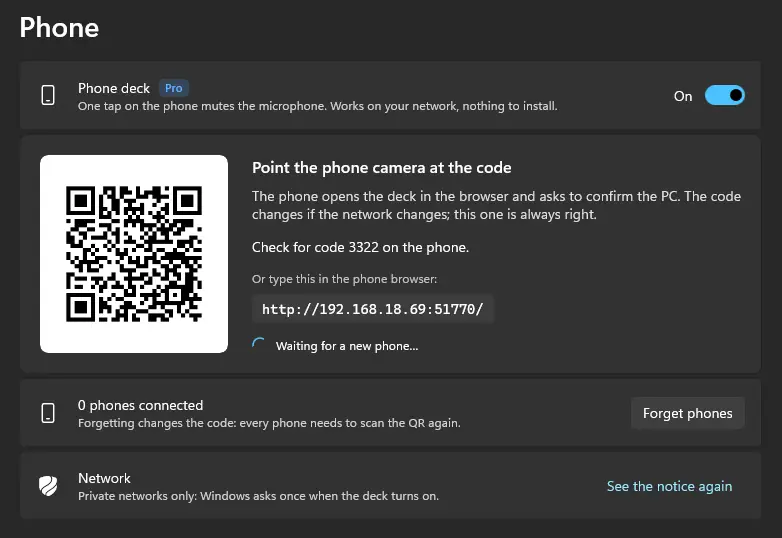
One tap mutes, and the phone vibrates when the PC confirms. Nothing to install: it opens in the browser.
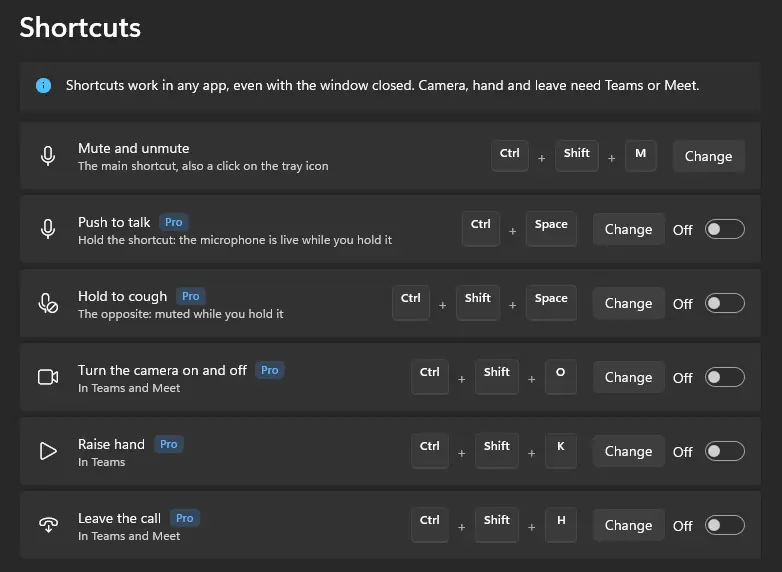
In Teams: mic, camera, raised hand and leave, through the official API. In Meet: mic, camera and leave, through an extension for Chrome and Edge. In every other app, the system mute already works.
Founder price for the first 30 days or 500 sales. Pay by card, with 14 days for a refund.
Yes. Mutto mutes the microphone in Windows, so every app hears silence. In Teams and Meet, the app's own icon follows along too.
No. It plays only for you, on the default speakers, and never goes into the microphone.
No. The button opens in your phone's browser, on your Wi-Fi network.
Mutto stays free forever: shortcut, tray, pill and sound. Nothing gets locked.