For Windows 11
One button for your microphone. In any app.
Ctrl+Shift+M, or a tap on your phone, mutes the microphone from any window. And the state is always in sight, no hunting for it.
- 7 days free, no card
- One-time purchase, no subscription
- Doesn't record or listen to your audio
On your phone? Send the link to your PC.
LiveMuted
Works with Teams Google Meet Zoom Discord Slack WhatsApp and any app that uses the microphone
Sound familiar?
Features
The mute that works, from any window
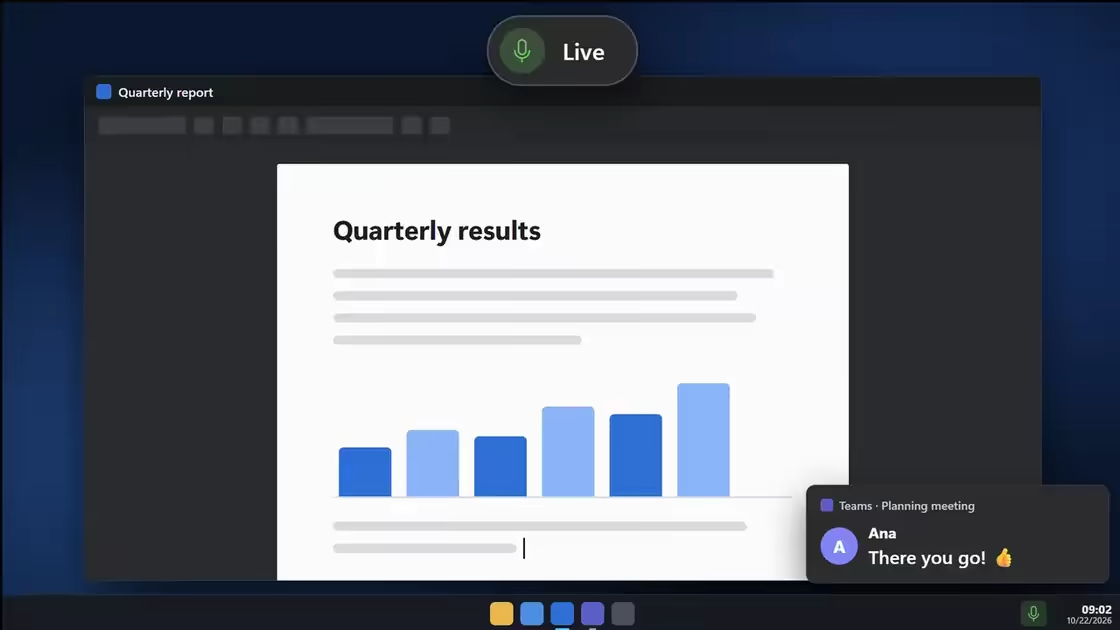
One shortcut, from any window
The mute is Windows' own, so every call app hears silence. It doesn't matter which window is in front.
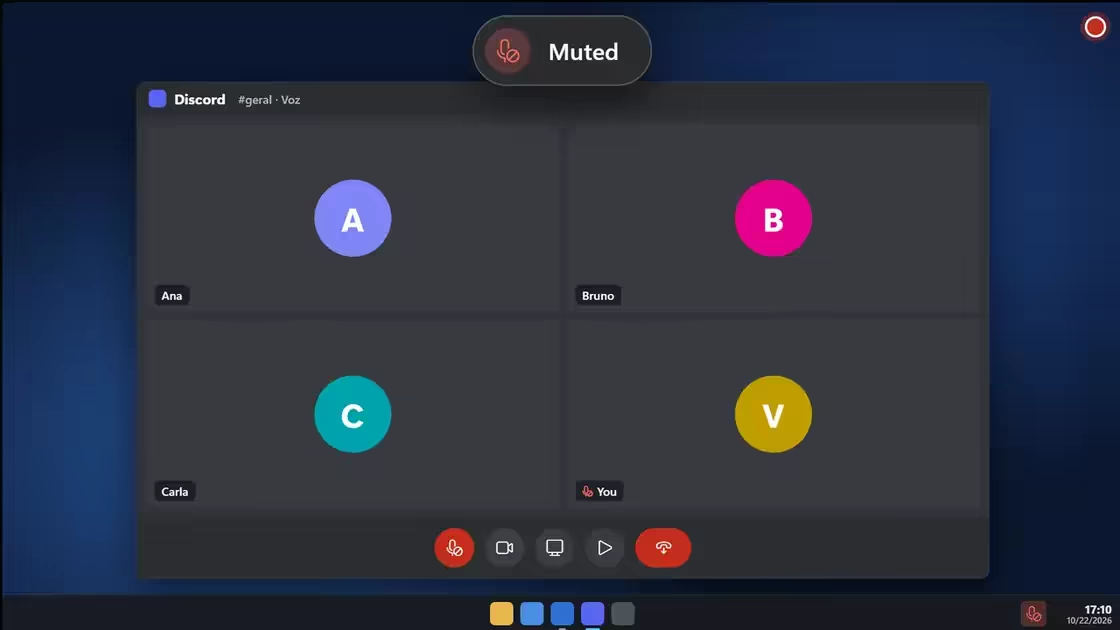
Red means muted. No doubt.
An alert confirms every change at the top of the screen, and the icon by the clock shows the state all the time.
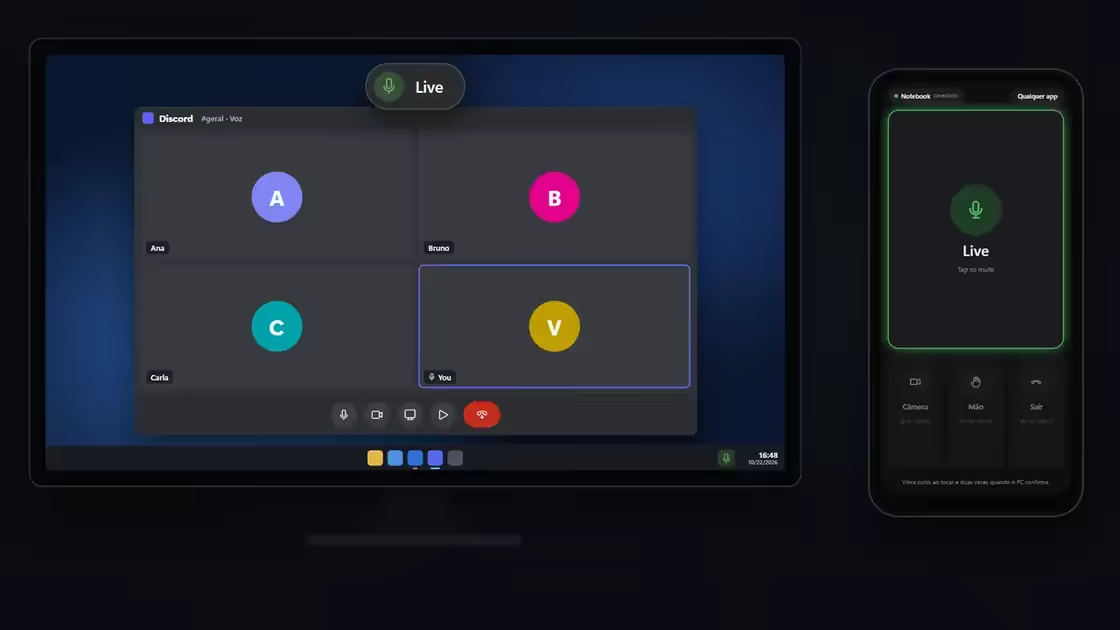
Away from the keyboard? Your phone becomes a button
Scan the QR code with the camera and that's it: one tap mutes, and the phone vibrates when the PC confirms. Nothing to install, over your Wi-Fi.
Camera, hand and leave
In Teams, camera, raised hand and leave have shortcuts. In Meet, camera and leave.
Hold to invert
Muted, hold to talk; live, hold to go quiet for a moment. Let go and it's back. An extra shortcut you turn on in Settings.
Closes by itself
The mic closes when the PC locks. The shortcuts are yours to change.
Doesn't record or listen
Mutto only turns the Windows mute on and off and reads whether it's on.
See it working
A day of calls with Mutto
Ready in a minute
- 1
Download and install
No account, no card. Mutto lives in the tray, next to the clock.
- 2
Press Ctrl+Shift+M
Press it again to talk. From any window, with any call app open.
- 3
See the state
The alert confirms, and the icon by the clock turns red.
Comparison
Why not the app's own button?
| App's button | Windows Win+Alt+K | Mutto | |
|---|---|---|---|
| Works with the call behind another window | No | Yes | Yes |
| Works in any call app | No | Integrated apps only | Yes |
| Shows the state on screen, in any app | Inside the app only | No | Yes |
| Camera and leave on a shortcut | No | No | Teams and Meet |
| Phone as a button | No | No | Yes |
Try it free. Then buy it once.
No subscription. All your PCs, with the same key.
Confirm the currency you want to pay in.
Trial
R$ 0US$ 0
for 7 days, no card
- Everything unlocked, first day to last
- No account, no sign-up
- Your settings stay when you buy
Mutto
was R$ 39,90US$ 14 now R$ 29,90US$ 9
one-time payment, no subscription
Launch price, for a limited time.
- The shortcut in any app, from any window
- On-screen alert, icon that changes color and sounds
- Phone as a button and official Teams
- Hold to invert, extra shortcuts and rules
Pix or cardCard · all your PCs · 14 days for a refund
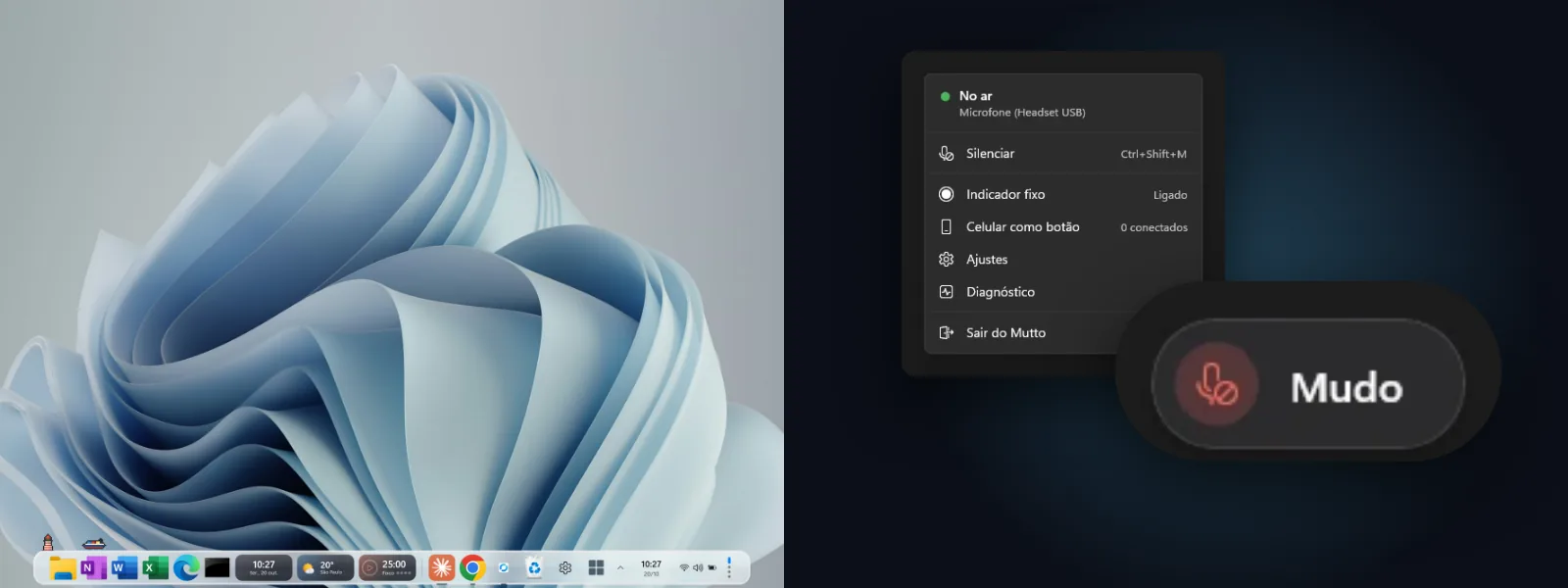 Both apps
Doca + Mutto
R$ 54,90US$ 15.90
one-time payment, one key for each. Costs less than buying the two separately.
- Everything in Mutto Pro
- The full Doca: the Windows dock with environments, magnifier and widgets
- Both keys in the same email
Pix or cardCard · refund on both within 14 days
Questions
Does it work with any app?
Yes. Mutto mutes the microphone in Windows, so every app hears silence. In Teams and Meet, the app's own icon follows along too.
Doesn't Windows already have a mute shortcut?
Windows 11's Win+Alt+K only works in apps that plug into Windows' call mute, like Teams, and only during a call. Mutto mutes the microphone in Windows itself: it works in any app, from any window, with the state always in sight and your phone as a button.
Do I need Windows 11?
Yes: Windows 11 (22H2 or newer), on regular (x64) and ARM PCs.
Does the confirmation sound leak into the call?
No. It plays only for you, on the default output, and never reaches the microphone.
Does Mutto record or listen to my audio?
No. It only turns the microphone mute in Windows on and off and reads whether it's muted, to show you the state. The privacy policy says everything that leaves your PC.
What if I don't buy after the trial?
Mutto stops muting and shows the screen to buy or paste a key, always telling you the microphone didn't change. Your settings are kept. If you used Mutto before October 23, 2026, you keep the old free plan.
Never hear “you're on mute” again.
Install it in a minute and try it free for 7 days, with everything unlocked. No card.
Try it free on Windows 11- One-time purchase, no subscription
- Doesn't record or listen to your audio